Running service: availability, approvals and alerts
Three things a manager deals with while service is happening, as opposed to before or after it.
Taking something off sale, right now
You have run out of prawns. The kitchen needs it off the menu immediately — not repriced, not retired, just unavailable for tonight.
That is what item availability is for. Marking an item unavailable stops it being sold from now, without touching the item itself.
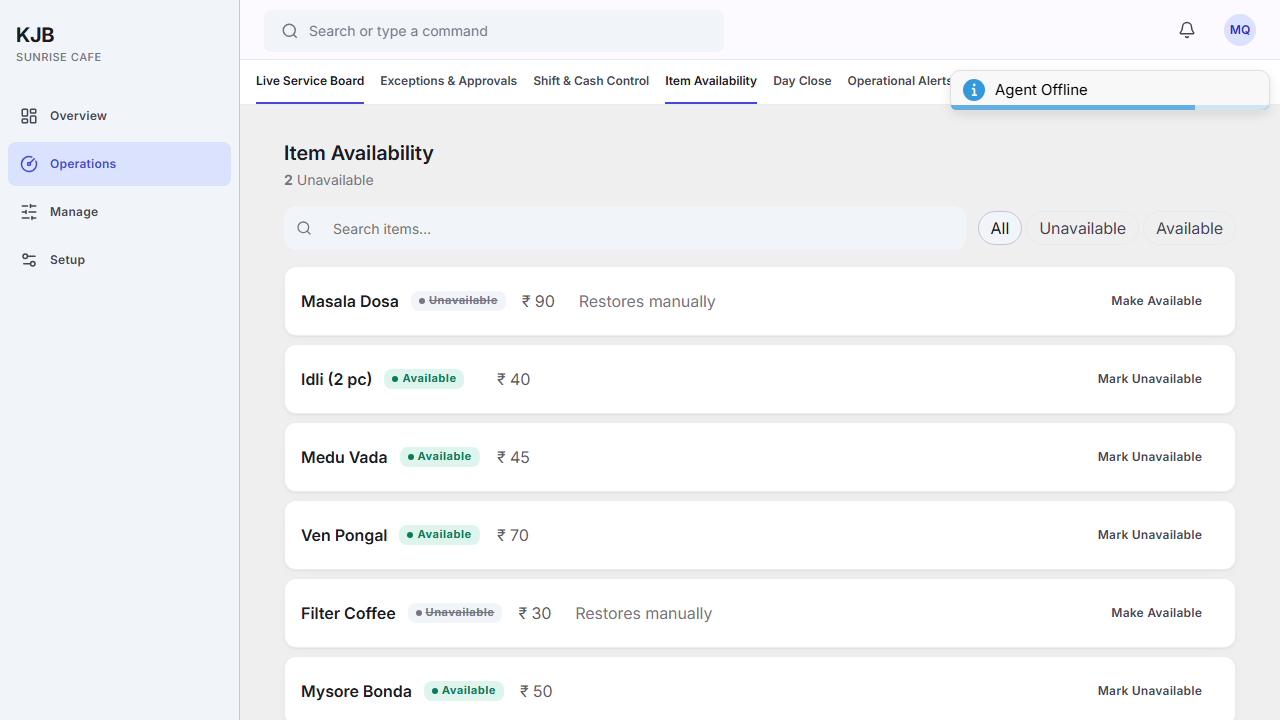
This is the right control, and editing the price is the wrong one. A price of zero does something different and lasts until someone changes it back. Availability is the temporary answer, and it can be set to return automatically at the next business day or at a time you choose.
Coming back on is deliberate too — either automatically, or by marking it available again.
Approving what someone else is blocked on
Some actions are supervised: a person can start them, and someone senior decides. A discount beyond what a cashier may give on their own is the common case.
A request is waiting on a person, not on the system. Until it is approved or denied, someone is stood at a till unable to finish. That is why pending approvals appear on Overview — see Reading your Overview.
Denying is a real answer. Both outcomes are recorded, which is the point of asking rather than working around.
Alerts
Things the system wants a person to notice. They are acknowledged rather than dismissed, so that "someone has seen this" is recorded.
Unacknowledged alerts are one of the day-close checks, so anything ignored during service reappears at the end of it. See Close the day.
Related
- Close the day
- Reading your Overview
- Change a price — the lasting change, as opposed to tonight's