Printing and kitchen routing
Setup ▸ Printers & KDS answers one question in several parts: when a ticket is produced, where does it come out? The screen is headed Printers, KOT/Bill Routing & KDS, with the outlet it applies to named underneath.
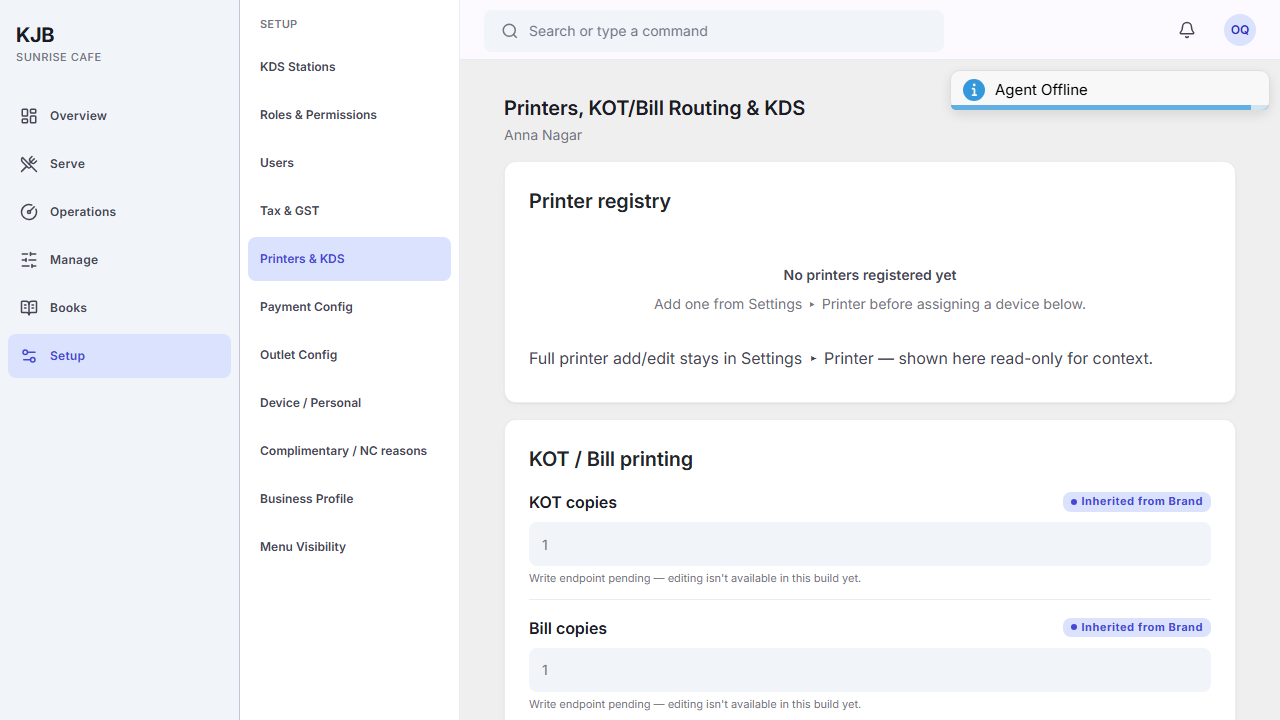
The parts of the screen
Printer registry — the printers KJB knows about. Until one is registered it says "No printers registered yet", which is a real state and not a failure to load.
You do not add a printer here. The registry on this screen is read-only, and it says so: "Full printer add/edit stays in Settings ▸ Printer — shown here read-only for context." Register the printer there first, then come back to route to it.
KOT / Bill printing — how many copies of each. There is a count for kitchen tickets and a count for bills, so a kitchen that wants two copies of every order and a customer who wants one bill are handled separately.
Neither count can be changed from this screen. Both fields are greyed out, and the screen says so where they appear. The value shown is the one in force, inherited from the brand.
Documentation for this is still being prepared.
KOT / Bill routing map — the rules that decide which printer a ticket goes to. This is the part worth understanding properly; it has its own section below.
KDS stations — the kitchen display sections. Until one exists it says "No kitchen stations yet".
Outlet assignment — for restaurants with more than one outlet, kitchen stations waiting to be assigned. A single-outlet restaurant sees "Nothing pending", which is correct rather than empty.
How routing rules work
This screen configures the rules. Whether a given rule is being applied at print time is a separate question, and not one this screen answers — if tickets are coming out of the wrong printer, confirming the rule looks right here is the start of the investigation rather than the end of it.
A routing rule says: tickets matching this go to that printer. A rule can match a category — starters to the cold section, grills to the hot line — or it can be a catch-all that takes everything not matched by another rule.
A catch-all matters more than it sounds. Without one, a ticket that matches no rule has nowhere to go. The screen names the option explicitly — "Catch-all (everything not otherwise matched)" — and leaving a rule's category blank is how you make one.
Rules have a sort order, so when more than one could apply, the order decides.
Inherited settings
Print settings can be set once for the brand and used by every outlet. Where an outlet is using the brand's value the screen marks it Inherited from Brand; where the outlet is not permitted to differ it says Locked by Brand.
An inherited value is deliberate sharing, not a gap to fill in.
This device, this outlet
Some settings apply to the machine you are sitting at, and some to the whole outlet — the screen distinguishes "Set for this device" from "Set for this outlet".
That distinction matters when printing behaves differently on one machine than another: a device-level setting follows the machine, not the person signed in to it.
Who can change what
Changing routing rules is restricted. A captain attempting it is refused — the permission is held by managers and administrators. Reading the configuration is more widely available than changing it.
Things to know
Some parts of this screen are shown for reference and cannot be changed from here — the copy counts above are the ones you will meet first. The screen marks these where they appear, so a greyed-out field carrying no such marking is a permission question rather than something the screen never edits.
There are two different kinds of routing, and they are easy to confuse.
Printer routing — which physical printer a ticket comes out of. That is the routing map on this screen.
Station routing — which section of the kitchen display a ticket appears on. That is edited with the stations, and the screen points you at KDS ▸ Stations for it.
A dish can be routed to the grill station on the display and to a particular printer, and those are set in two different places.
Related
- The kitchen display — what stations do once tickets reach them