Change what a role can do
Who can do this
Administrators, and the screen is deliberately protective — changing what a role can do is supervised for everyone, including managers.
The three states a permission can be in
Every action a role might take is in one of three states, and they are the same three a person meets in use:
| State | Means |
|---|---|
| Granted | the role can do it |
| Denied | the role cannot, at all |
| Manager approval | the role can, with a manager approving each time |
The middle option is the useful one. A cashier who can never discount is inflexible; a cashier who can discount freely is unsupervised. Manager approval is the answer for actions that are legitimate but should not be silent.
An outlet can restrict, never widen
A grant made for the brand is the ceiling. An individual outlet can hold a role to less than the brand allows, but it can never give a role more.
So if a role needs more than it has, the brand is where that is settled — tightening one outlet is not the way to loosen another.
Screens and actions
The screen works in two layers. First, a role is given screens: the parts of KJB it can open, grouped by area, matching the menu: Overview, Serve, Operations, Manage, Books and Setup. A screen that is switched off does not appear in that role's menu. Second, for a screen that is on, you set what the role can do on it: each action is Granted, Manager approval or Denied.
Overview works differently. It is not a list of screens but five sections: Business, Operations, Kitchen, Stock and People. Each one is a switch, and the role sees an Overview with only the sections that are on. A manager has Operations and People by default. The accountant has none, so the accountant has no Overview and starts in Books. Switch one section on and an Overview appears for that role.
Steps
- Open Setup ▸ People & Access ▸ Roles & Permissions.
- Choose the role you are changing from Role.
-
Under Navigation areas, select an area. Its screens (or, for Overview, its sections) open beside the list.
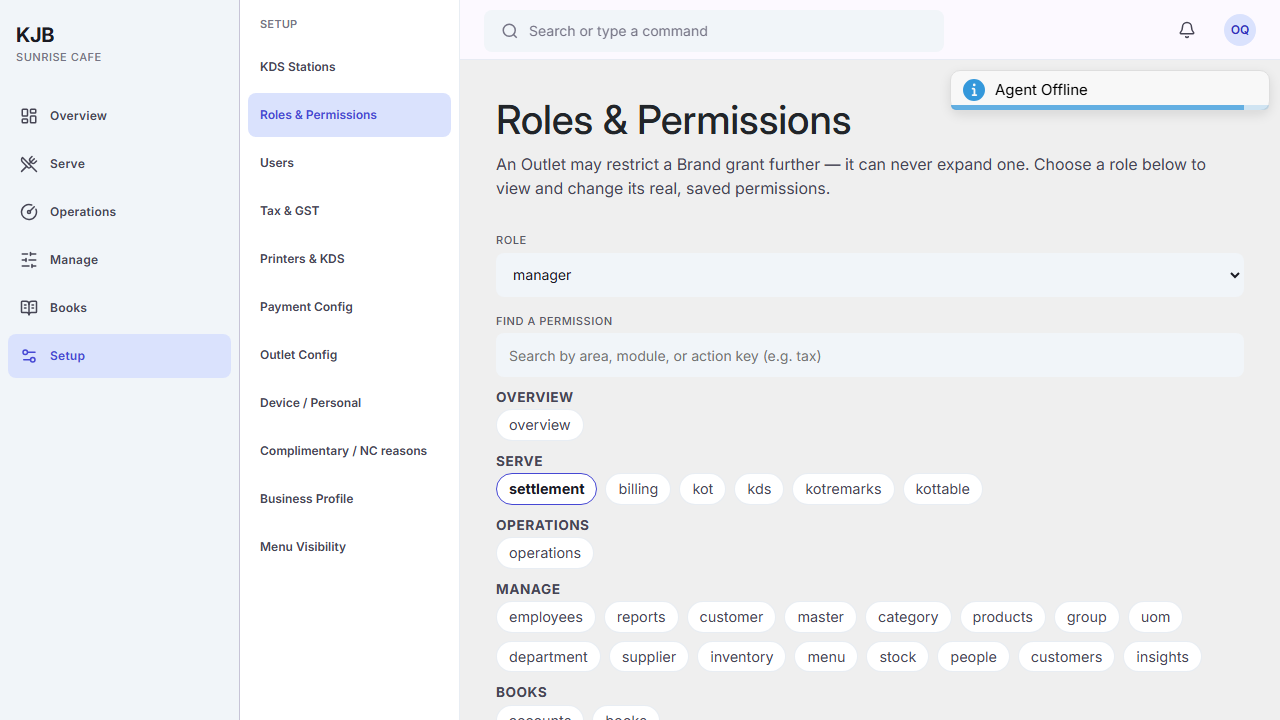 4. Switch a screen or section on or off. All on and All off switch the whole area.
5. To set the actions on a screen, select the screen (it must be on). For each action choose Granted, Manager
approval or Denied.
6. Select Save changes. To put the role back to its standard permissions, select
Reset to default.
4. Switch a screen or section on or off. All on and All off switch the whole area.
5. To set the actions on a screen, select the screen (it must be on). For each action choose Granted, Manager
approval or Denied.
6. Select Save changes. To put the role back to its standard permissions, select
Reset to default.
Things to know
Changing a role changes it for everyone in it. This is not a per-person adjustment. If one person needs something different, the question is whether they are in the right role.
Prefer approval to a grant when you are unsure. It keeps the action possible and keeps a record of who allowed it.
Roles can be added, renamed and deleted. A new role is a real decision — every role you add is another thing to keep correct as the product changes.
Related
- Who can do what — the same three answers, from the user's side
- Add a user — putting someone into a role