Menu items
A menu item is one thing you sell. It carries the name a customer sees on their bill, the prices it sells at, and whether it is currently active.
Why it exists
KJB keeps two different kinds of thing, and the Menu Items screen holds both, on separate tabs.
A menu item describes something you sell — a dosa, a coffee. It carries selling prices, and it has four of them: one for a customer at a table, one for takeaway, one for delivery, and one for online orders.
A stock item describes something you buy and keep — the rice, the coffee powder, the gas. It is there so you can track what you hold, not so a customer can order it.
They live on one screen because both are lists you maintain, and they stay on separate tabs because they describe different things.
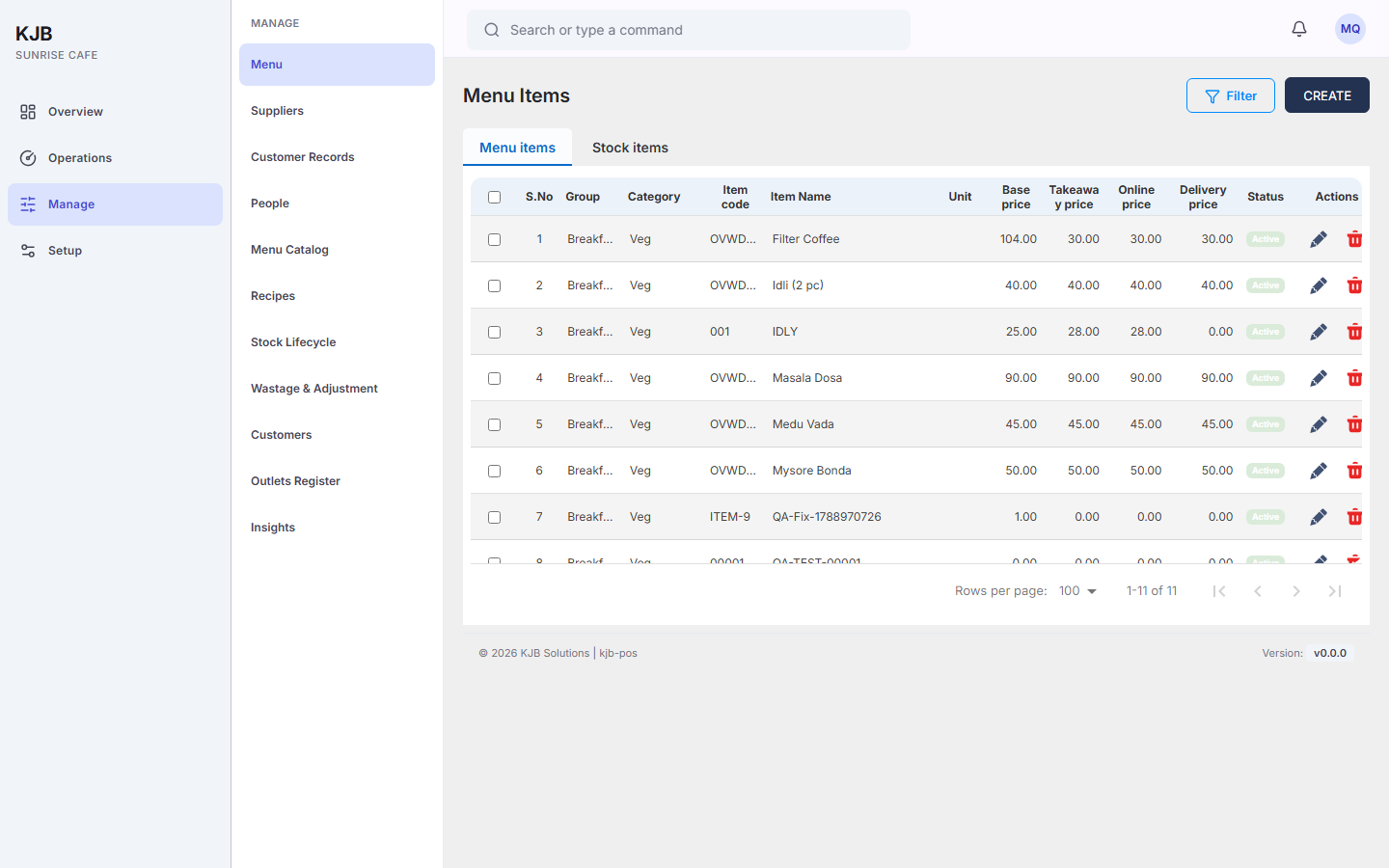
What the names on this screen mean
The screen uses two names for this same distinction, and you will meet both. The tabs read Menu items and Stock items. The item form's own read-only Item type field calls them Item Master and Inventory Master.
They mean the same two things:
| The form says | It means |
|---|---|
| Item Master | a menu item — something you sell |
| Inventory Master | a stock item — something you buy and hold |
Things to know
Every item has a code, and the code is yours to choose. An item code is a short reference for the item, such as DOSA01. It is how the item is identified in lists, searches and reports. When adding an item on this screen, enter an item code.
An item is priced separately for each way you sell it. A channel is how you sell an item — for example, at a table or for takeaway. Base, Takeaway, Delivery and Online are four separate fields on the same item, and setting one does not set the others, so an item you sell more than one way needs a price filled in for each. See Add a menu item.
Groups and categories come from your own lists. An item belongs to a group, and then to a category within that group. Both are maintained separately from the item, and not every account can reach the screens that maintain them — if the group or category you need does not exist, ask whoever administers your KJB.
Who can do what
Managers can add menu items and edit existing ones.
Administrators can add menu items.
Captains, cashiers, storekeepers and kitchen staff cannot add or edit menu items. A captain or cashier may be able to open the screen and see the list, but changing it is not available to them. If you need a new dish on the menu, ask a manager.